

Let guests scan, browse and order from the table
QR App gives your restaurant a beautiful digital menu, takes orders at the table or for home delivery, sends them to WhatsApp and rings your kitchen. Add offers and coupons to bring guests back. No app to download and no complex hardware needed.

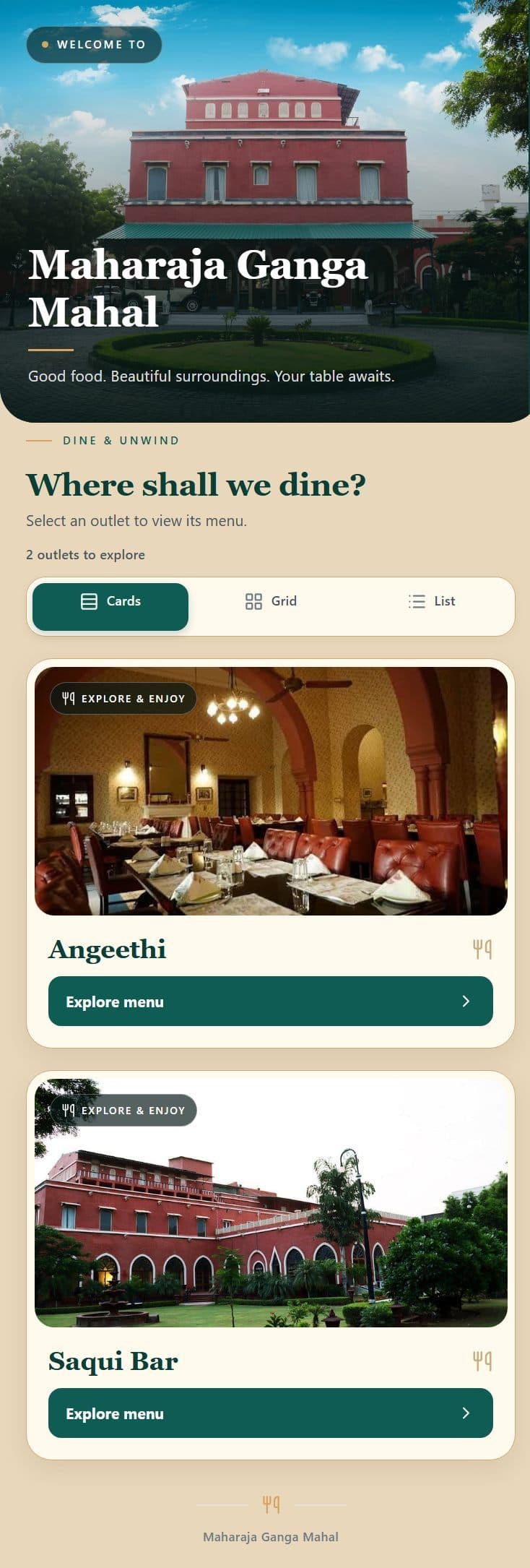
Take orders. Send them to WhatsApp. Reward your guests.
Six things restaurants ask for first, and how each one works in QR App.
Guests order straight from the table
No waiting to catch a waiter’s eye. Guests build their order on their own phone, tweak every dish and see the exact bill before they confirm.
- Live cart with + / − quantity buttons
- Spice level: Mild, Medium or Fiery
- Add-ons like extra cheese, dips or double patty
- A note for the chef, such as “crispy, less oil, no onion”
- GST and service tax shown before confirming, with no surprises
Sell beyond your tables with home delivery
The same menu that works at the table also works from the sofa. Guests choose home delivery, add their details and see the full bill before they order.
- Guests choose dine-in or home delivery in one tap
- They enter their delivery details and see the delivery charge up front
- Set your own delivery charge rules, such as a small fee on small orders
- Delivery orders reach your kitchen board and WhatsApp like any other order
- Offers and coupons can apply to delivery too
Every order lands on WhatsApp
The moment an order is placed, a neat ticket is sent to your captain and cashier on the app they already use all day.
- Sent automatically to the WhatsApp numbers you choose
- Table or room number, items, add-ons, time and notes
- No extra markup on WhatsApp messages
- You can also send your menu to guests on WhatsApp
Offers and coupons that bring guests back
Reward your guests with a promotion and watch the table fill up. Set it up in minutes and switch it on or off whenever you like.
- Create promotions for a table, room, outlet or delivery
- Guests see their discount before they confirm
- Seasonal and festival offers, scheduled in advance
- Turn any offer on or off with one tap
A kitchen that never misses a ticket
New orders ring out loud and sit on a simple board your whole kitchen can read, so nothing gets missed during the rush.
- Loud chime for every new order
- Board that moves orders from New to Cooking to Ready, with timers
- Chef notes stand out so nothing gets lost in translation
- Table, room and home-delivery orders all land on the same board
Your whole team, with the right access
Add your staff to the admin panel and decide what each person can do. A steward can sign in and check the KOT on their own phone, without touching your menu, offers or reports.
- Add team members and give each one their own login
- Choose what each person can see and change, based on their rights
- Stewards can open the live orders and KOT board right in the admin panel
- Keep menu, prices, offers and reports for the owner and managers
One Platform for Your Entire Restaurant
Instant digital menus for guests, live sound-alert KOTs for the kitchen, and complete real-time control for management.
A menu guests actually enjoy using
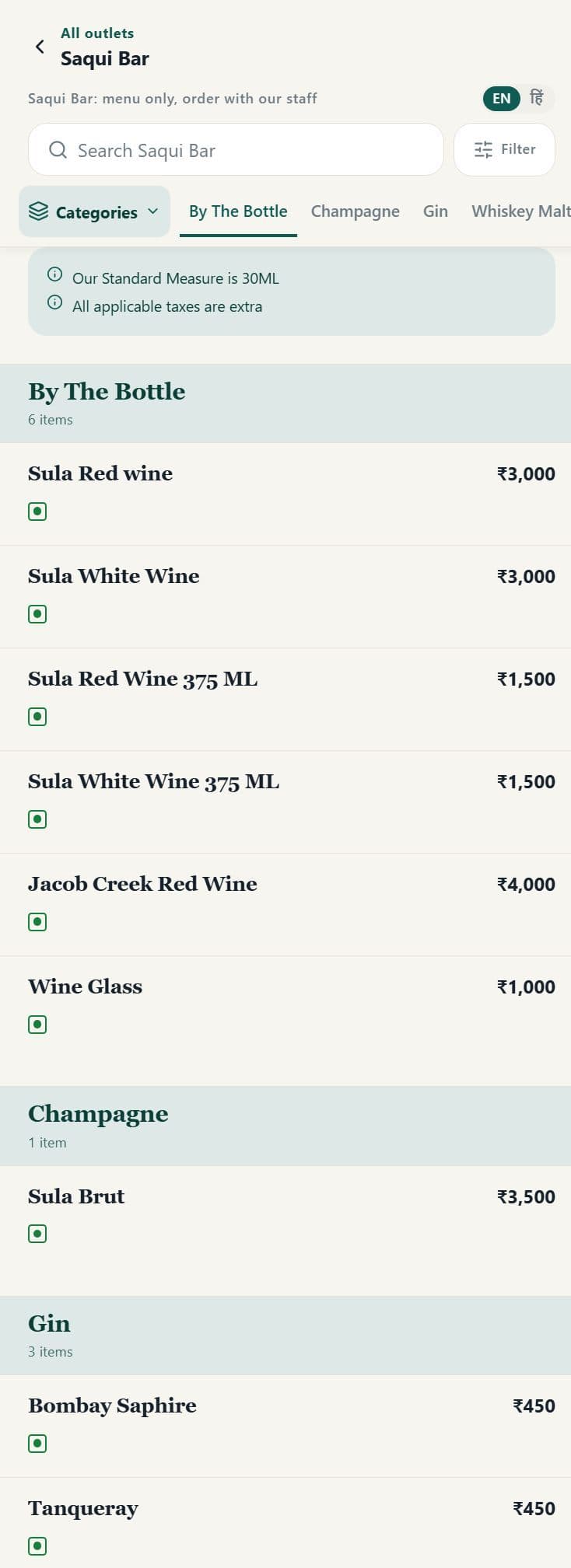
No downloads, no waiting for a waiter. Guests scan, browse and decide at their own pace, in English or Hindi.
- Opens in seconds from any phone camera
- Search, filter and clear veg / non-veg marks
- Separate menus for each restaurant or bar
From sign-in to a full house
in eleven simple steps
Scroll down and watch the path light up. It follows one order all the way, from registering your restaurant to the guest placing an order and the kitchen serving it.
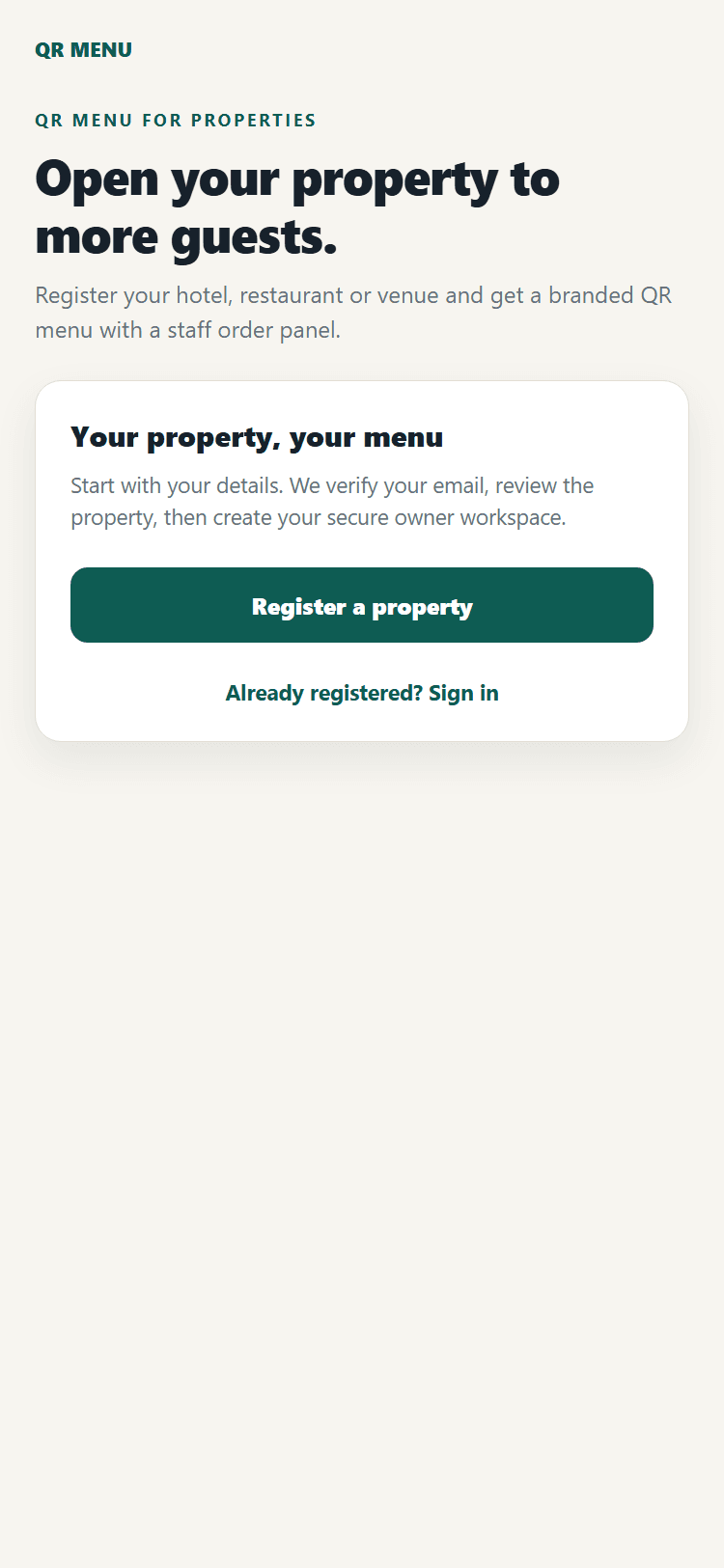
Register and sign in
Register your hotel, restaurant or venue and verify your email. We review your details, then set up your secure owner workspace. After that, you can sign in any time from your phone or computer.
- Register a property in a few minutes
- Your first month is free
Set up your venue
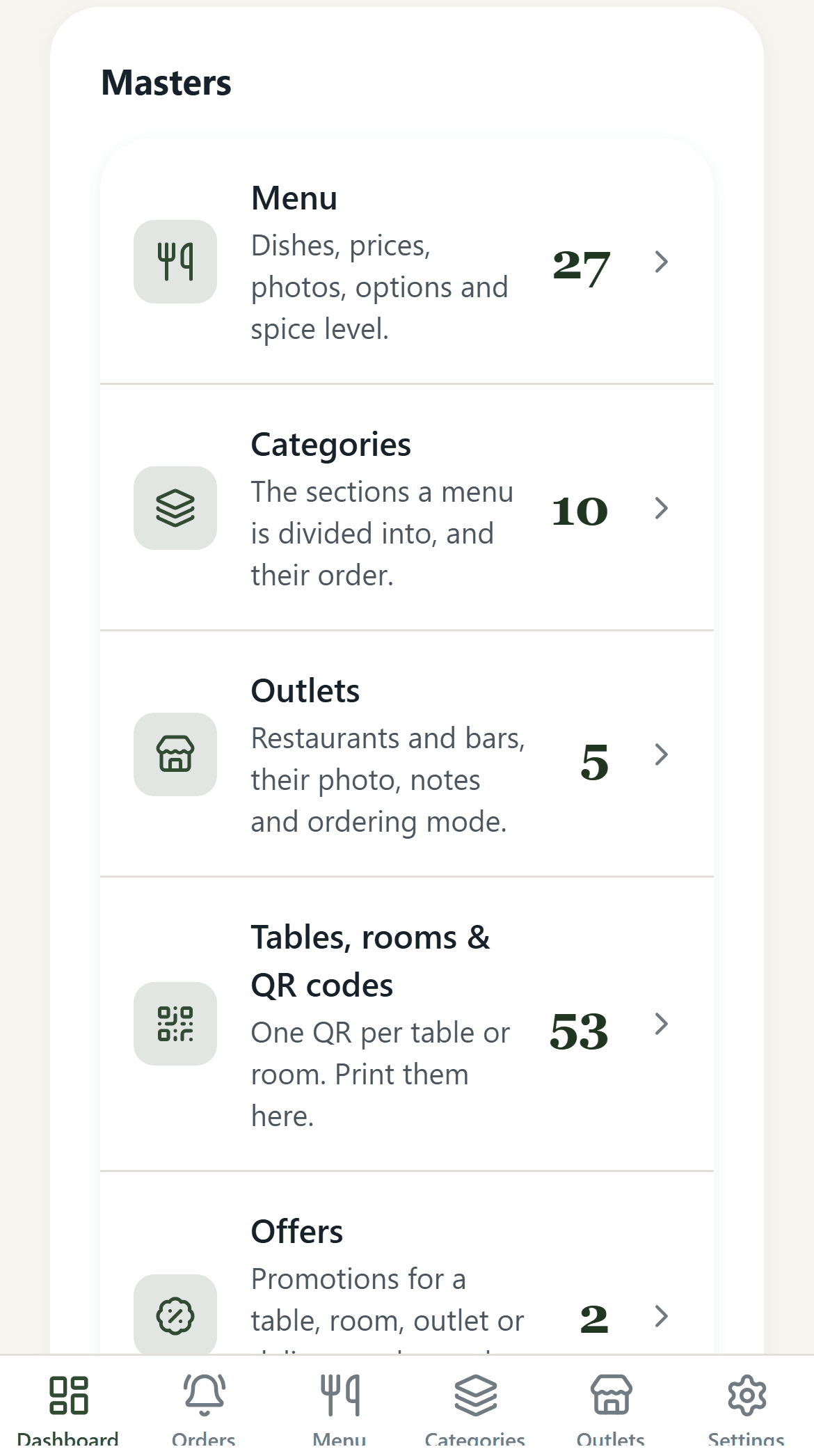
Add your restaurant, bar or rooftop. Every outlet, dish, category, table and offer is managed from one simple dashboard.
- Create your outlets (up to 2 on every plan)
- See your menu, tables and offers at a glance
Add your team and set their rights
Invite your managers and stewards to the admin panel and decide what each person can do. Everyone signs in with their own login and sees only what their rights allow.
- A login for every team member
- Choose who can see orders, menu, offers and reports
Build your menu
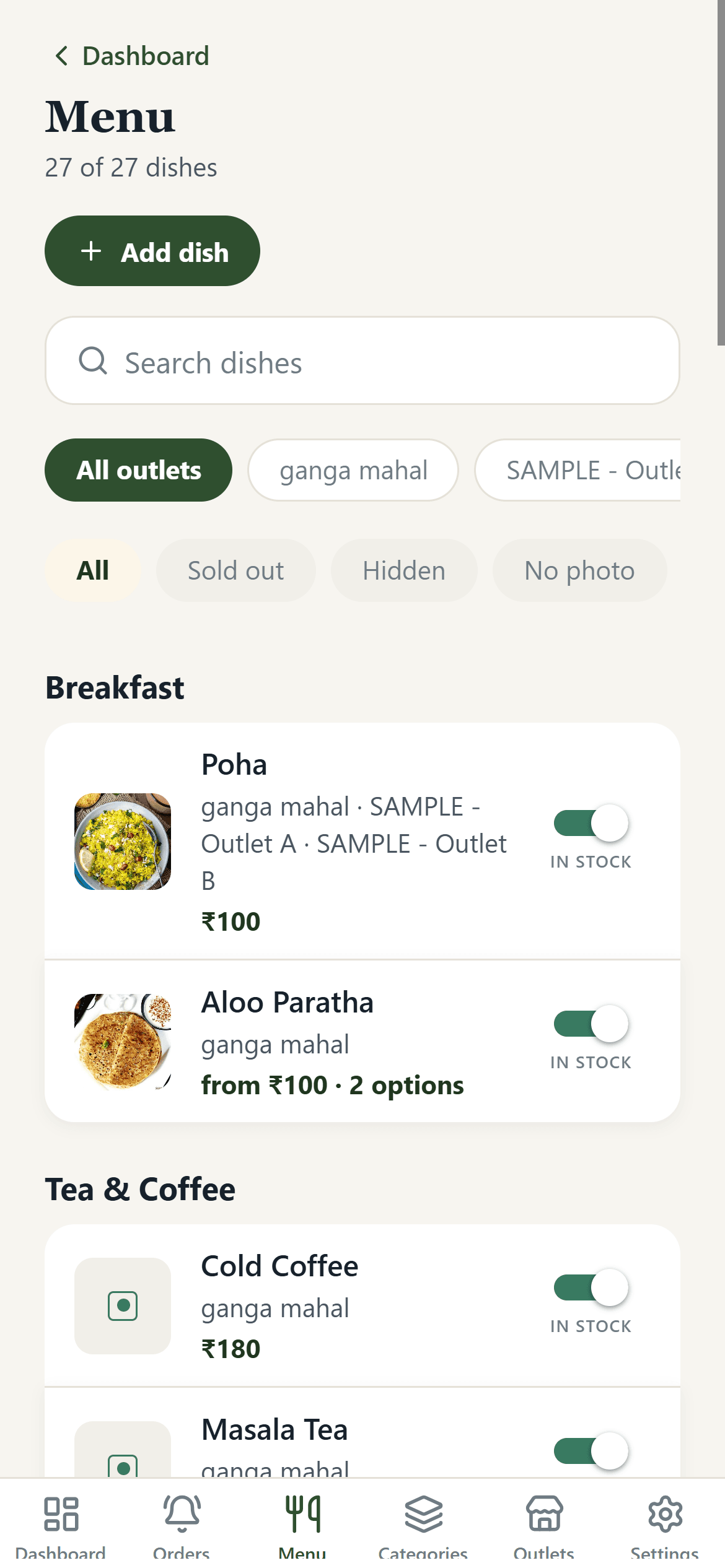
Add dishes with photos, prices, options and spice levels. Group them into sections guests will recognise, and change anything whenever you like.
- Photos, prices and options in one place
- Edit once, updated for every guest instantly
Put a QR code on every table
The app creates one QR code for each table or room. Print them, place them on the table, and you are ready to welcome guests.
- One code per table, room or counter
- Change your menu without reprinting anything
Guests scan and choose
Guests scan the code with their phone camera. Your menu opens straight away in the browser, with no app and no sign-up.
- Works on any iPhone or Android
- Pick the restaurant or bar in one tap
Guests browse with ease
Guests can search, filter, spot veg and non-veg dishes at a glance and switch between English and Hindi with a single tap.
- Search and filters built in
- English and हिन्दी switch
Guests place the order
Guests add dishes to their cart, choose spice levels and add-ons, leave a note for the chef and check the total with taxes. They can dine in or choose home delivery, and one tap sends the order.
- Live cart and clear bill before confirming
- Dine-in or home delivery, with chef notes on every order
The KOT reaches your team
A kitchen order ticket (KOT) goes straight to your captain and cashier on WhatsApp, so the right people see every order the moment it is placed.
- Table, room or delivery details, items, add-ons, time and notes
- Sent to the WhatsApp numbers you choose
Your kitchen and stewards stay in the loop
The order rings a chime and appears on the live board. The kitchen moves it from New to Cooking to Ready, and stewards with the right access can check the KOT in the admin panel too.
- Loud chime, timers and chef notes on every ticket
- Stewards open the KOT board with their own login
Grow with offers and reports
Run offers and coupons to bring guests back, switch dishes off when they sell out, and see your sales and best-sellers, ready to export to Excel.
- Offers for a table, room, outlet or delivery
- Sold-out switch, sales reports and Excel export
Every feature, in plain English
25 features come with every plan. Pick a group to see what is inside.
Instant QR scanning
Guests scan with the normal phone camera on iPhone or Android. The menu opens in about a second and a half, with no download, sign-up or login.
Table & room linked
Every code is tied to a table or room, such as Table 12 or Room 304, so orders always reach the right place.
Order from the table
Guests build their order on their phone with a live cart, quantity buttons and a clear bill.
Home delivery
Guests can choose home delivery, enter their delivery details and see the delivery charge before they confirm. You get the order on the live board and on WhatsApp.
Photo menu
Sharp dish photos, short descriptions, portion sizes and allergy notices. Guests can jump between Starters, Mains, Tandoor, Desserts and Beverages.
Veg / non-veg filters
Familiar green and red marks, vegan tags and a one-tap “Veg only” switch for the whole menu, plus ingredient and allergen details.
Spice levels & add-ons
Mild, Medium or Fiery, plus paid or free extras like cheese, dips or sauce, and a note for the chef.
English & हिन्दी
Switch language from the menu header. Categories, dishes and descriptions all change, and the cart stays exactly as it was.
Clear bill before ordering
Prices update live, with GST and service tax shown before the guest confirms. Nothing hidden.
Sound chime for new orders
A loud alert rings the moment an order arrives, which helps a lot during the dinner rush.
Live order board
Orders move across simple columns, with timers showing how long each one has been waiting and a one-tap “Mark ready”.
WhatsApp order tickets
A tidy ticket goes to your captain and cashier with the table or room, items, add-ons, time and notes. No extra messaging markup.
Chef notes stand out
Special requests appear in clear, high-contrast badges so the kitchen never misses “no onion” or “less oil”.
One-tap “sold out” switch
Mark any dish out of stock from your phone. It disappears from every guest’s menu straight away, with no refresh needed.
Offers & coupons
Create promotions for a table, room, outlet or delivery, and switch them on or off whenever you like.
Team management
Add your team to the admin panel and give each person their own login, so you always know who is using the app.
Access by rights
Choose what each person can see and change. Keep menu, prices, offers and reports for the owner and managers.
Steward KOT access
Stewards can sign in to the admin panel and open the live orders and KOT board, based on the rights you give them.
Outlets, one login
Run a restaurant and a bar, or a rooftop and in-room dining, together. Each outlet has its own hours, menu, tax rates, staff and photo gallery of up to 10 images.
Menu & price editor
Add seasonal specials or change prices and descriptions quickly. You never need to reprint a menu again.
Branded QR codes
Download print-quality QR codes (PDF and SVG) with your logo and colours, designed to scan quickly even in dim restaurant light.
Transparent flat pricing
You pay one simple subscription, ₹199 a month or ₹2,000 a year. No percentage cuts or surprise billing.
Sales & best-sellers
See daily and hourly sales, your top dishes, the high-margin items, rush hours and how quickly tables turn over.
Excel / CSV export
Download itemised sales for Excel, Google Sheets or Tally, with GST-ready summaries for quarterly and yearly returns.
Works for any venue
Cafes, fine dining, rooftop lounges, cloud kitchens and hotels can all run on the same app.
Less hassle. More happy guests.
Keep 100% of your earnings
You pay a transparent flat subscription and all dining revenue stays directly with you.
Faster tables, happier guests
Guests can look through the menu straight away instead of waiting for one to be handed over.
Sold out? Switch it off
Run out of a dish mid-service? Flip one switch and guests stop seeing it. No awkward apologies.
WhatsApp friendly
Send your menu to guests on WhatsApp straight from the orders screen.
One login, many outlets
Restaurant, bar, rooftop or room service: each outlet gets its own menu and photo gallery, all managed in one place. Plans include up to 2 outlets.
Know what sells
See what guests order most so you can feature your best dishes and drop the ones nobody wants.
Try it on your own phone
Scan the QR code with your phone camera to experience a live dining menu running on QR App. Browse food photos, test dietary filters, and switch language in real time.

Simple, honest pricing
No set-up fees or hidden charges. Try everything free for a month, then pick the plan that suits you.
Pay as you go
Great for a single cafe, cloud kitchen or small restaurant.
- Up to 2 outlets
- Up to 100 menu items
- Up to 10 gallery images per outlet
- Unlimited table and room QR codes
- Photo menu and ordering from the table
- Home delivery orders
- Orders sent to WhatsApp automatically
- Live order board with sound alerts
- Offers and coupons
- Team logins with access by rights
- One-tap sold-out switch for every dish
Pay once a year
Best for busy restaurants, hotels and venues that want the lowest price.
- Everything in the monthly plan
- Sales reports you can export
- Help setting up your digital menu
- Priority support on WhatsApp and phone
Need more?
Bigger menu, more outlets or a larger gallery? We will put a plan together for you.
- More than 2 outlets
- More than 100 menu items
- More than 10 gallery images per outlet
- Help setting up a large menu
- Custom features for your venue
Questions we hear a lot
Ready to give your guests a better menu?
Start your free month today and put QR codes on your tables within a day. Prefer to talk first? We are happy to help.